Let Owsey guide your first week in FL Studio, free.
Get a beginner-friendly FL Studio starter kit and a short first-week email series from Owsey, built to help you set up properly, avoid early overwhelm, and start making small finished ideas.
- Learn the core FL Studio settings before bad habits slow you down.
- Stop wasting your first week hunting for plugins, samples, and random tutorials.
- Use Owsey’s textures and guidance to turn simple ideas into something you can actually finish.
No spam. Just the starter kit and occasional Zeverb music production emails.

Everything you need to make week one feel less overwhelming.
This is designed for new FL Studio users who want a clear starting point: set up the software, find good sounds, understand the interface, and practise making music without falling into the “more plugins, more samples, more tutorials” trap.
6 guided setup videos
Owsey walks you through the setup decisions that make FL Studio easier to use from day one.
- Introduction
- Audio Settings
- MIDI Settings
- General Settings
- Browser and file settings
- The FL Studio user interface
25-page resource guide
Save hours of searching with Owsey’s curated recommendations for beginner music production resources.
- Free instruments like Spitfire LABS, SINEfactory, and KOMPLETE Start.
- Free effects including Kilohearts Essentials, Valhalla tools, TDR Nova, and creative lo-fi options.
- Free synths, MIDI controllers, studio monitors, audio interfaces, and sample libraries for different budgets.
Ambient texture sample pack
Start with inspiring textures instead of a blank canvas. Drag them into FL Studio and begin building atmosphere quickly.
- Useful for ambient, melodic, cinematic, and emotional production ideas.
- Great for layering, intros, transitions, and sound design experiments.
- Included as a downloadable zip file with the starter kit.
A calmer way to start learning FL Studio.
Most beginners lose time because every problem feels like it needs another plugin, another sample pack, or another tutorial. Owsey’s first-week sequence keeps the focus narrower: get set up, choose better sounds, make simple musical decisions, and build momentum toward finishing.
- Start with setup: Get FL Studio feeling less confusing before you try to write a full track.
- Pick better starting sounds: Use the guide and texture pack to avoid hours of aimless searching.
- Practise with limits: Learn how simple ideas can become stronger before you add more layers.
- Build finishing habits: Get gentle prompts through the week that point you toward finished ideas, not perfect loops.
Skip the endless “best free plugins” rabbit hole.
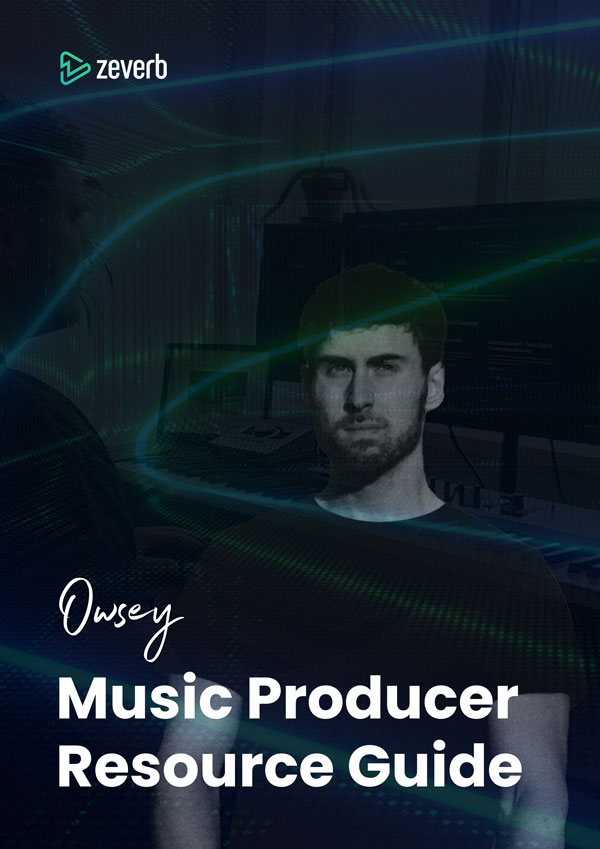
Owsey’s Music Producer Resource Guide is a 25-page shortcut through the early decisions that slow new producers down. Instead of bouncing between old forum threads, sponsored lists, and random YouTube comments, you get one curated place to start.
- Free instruments such as Spitfire LABS, SINEfactory, KOMPLETE Start, and realistic guitar/bass libraries.
- Free effects for reverb, delay, EQ, compression, tape colour, stereo imaging, lo-fi texture, and creative glitch processing.
- Free synths including wavetable, analog-style, modular, and virtual analog options.
- Beginner-friendly MIDI controller suggestions across low, mid, and higher budgets.
- Studio monitor and audio interface recommendations for home setups at different price points.
- Sample source recommendations covering paid libraries, free community sites, and places to find unusual sounds.
A short first-week series, not a random download.
The starter kit arrives first. After that, Owsey sends a few practical notes to help you use it properly: staying focused, making better use of simple ideas, thinking about finished tracks, and knowing when a structured FL Studio course might make sense.
Get set up
Receive the videos, resource guide, and texture pack so your first session has a clear starting point.
Avoid overload
Learn why more tools are not always the answer when you’re trying to make better music.
Shape ideas
Get nudged toward simple exercises that help you turn a loop or texture into something more intentional.
Go deeper
If the free resources help, you’ll get a clear next step into the full FL Studio masterclass.
Keep learning after setup.
Once FL Studio feels less intimidating, use these extra videos to explore ambient music, tape-style effects, FL Studio 24 features, AI chord progressions, FL Cloud, and creative mixing ideas. They are there to spark action, not add another pile of tabs to your browser.
- How to Make Ambient Music
- Sketch Cassette 2 Tutorial: Easily Make Tape Sounds With This Epic VST
- FL Studio 24: All Important New Features, Plugins & Techniques
- FL Studio 24: AI Chord Progression Tool Tutorial
- FL Cloud Explained: Access 65+ Plugins, Samples & AI Mastering
- How to Easily Make Ambient Music: FL Studio Tutorial
- Simple Soundtoys EchoBoy Trick: Instantly Transform Any Sound
Learn from an FL Studio Official Artist and Power User.
Owsey has taught FL Studio for over 10 years and focuses on practical, musical guidance for producers who want to make better music without wasting time on random advice. The free sequence gives you a structured first step: learn the setup, use a small palette, practise finishing, and decide whether you want to go deeper.
Questions before you start?
Is this FL Studio starter kit really free?
Yes. Sign up and you’ll receive access to the setup videos, bonus tutorials, PDF resource guide, ambient texture sample pack, and the short first-week email series.
Is this for complete beginners?
Yes. The starter kit is written for people in their first week with FL Studio, or anyone who feels scattered after watching lots of tutorials without a clear path.
What does the resource guide recommend?
It covers free instruments, effect collections, free synths, MIDI controllers, studio monitors, audio interfaces, and sample sites across different budgets.
Do I need expensive plugins to use this?
No. A major point of the guide is helping you find high-quality free tools and sensible beginner gear before you spend money unnecessarily.